Chrome extension for Google Search Console

See every site.
Spot what matters.

SuperGSC turns Search Console into a multi-site command center. Find drops, opportunities and errors in seconds — without leaving Google.

Read-only GSC access Data processed locally English, French and Spanish
search.google.com/search-console
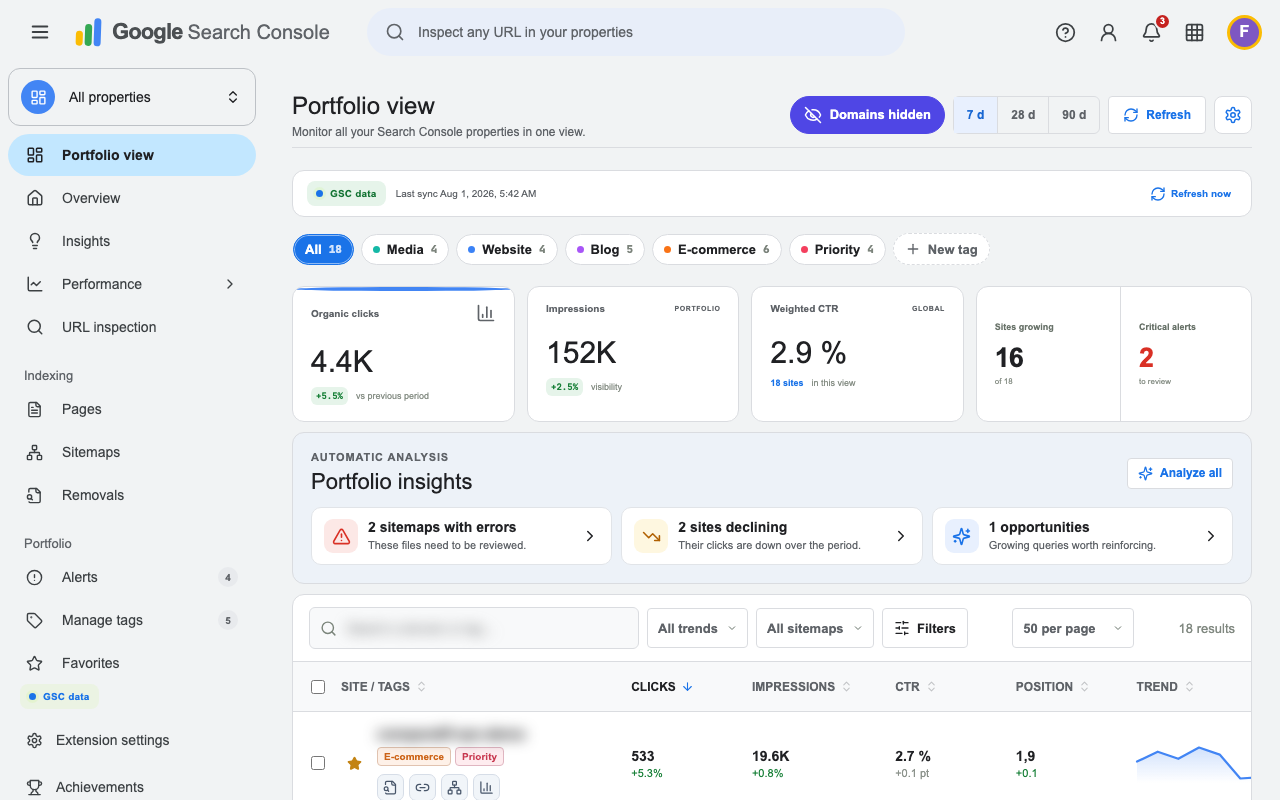
SuperGSC portfolio view with sensitive data anonymized
Growing sites+27
!
Alerts detected12

Built for teams managing more than one property.

SEO AGENCIESCONSULTANTSSITE PUBLISHERSIN-HOUSE TEAMS
THE PROBLEM

Search Console is powerful.
It was not built for 10, 50 or 500 sites.

Switching properties, rebuilding the same filters and exporting spreadsheets slows every decision. SuperGSC surfaces the signals that matter before you even open a report.

01

SEO agencies

Monitor every client property, spot urgent issues and prepare reporting meetings faster.

Multi-client prioritization
03

Consultants & in-house teams

Move from the global picture to a site diagnosis, then to the query or URL behind it, without friction.

Faster SEO decisions
THE COMMAND CENTER

The right signals.
At the right level.

A management layer built directly into Search Console, following its navigation patterns and using your real GSC data.

PORTFOLIO

A homepage for every property

Clicks, impressions, CTR, position, sitemaps, pages, referring domains and AI visibility in one sortable, filterable table.

  • Compare 7, 28 and 90 days
  • Search and paginate across every site
  • Jump straight to native GSC reports
Anonymized SuperGSC multi-site table
#
ORGANIZATION

Tags, favorites and focused views

Create your own categories, apply them in bulk, combine them and hide the ones you do not need.

ClientsPriorityMedia
PRIVACY

Built-in presentation mode

Blur sensitive domains, URLs and queries with one click before recording a video or sharing your screen.

confidential-client.comstrategic query
SITE ANALYSIS

From portfolio signal to detailed diagnosis

Open any site to review winning and losing queries, position ranges, daily movement, associated pages and keyword clusters.

Clicks+18.4%Top 342Queries1.2k
Anonymized SuperGSC performance report
INSIGHTS

Opportunities and alerts you can act on

Declining sites, sitemap errors, sharp gains and AI visibility stand out without rebuilding twenty filters.

ANNOTATIONS

Keep the context behind every chart

Add migrations, releases or campaigns to your charts. Annotations stay stored locally.

INSIDE SEARCH CONSOLE

Not another dashboard.
Your GSC, upgraded.

SuperGSC opens where you already work. Every screenshot below uses privacy mode, so sensitive information is deliberately blurred.

01 — Portfolio view

See the whole picture before opening a site.

Sort by clicks, impressions, trend or sitemap status. Filter by tag and open the report you need.

Full SuperGSC portfolio view with anonymized data
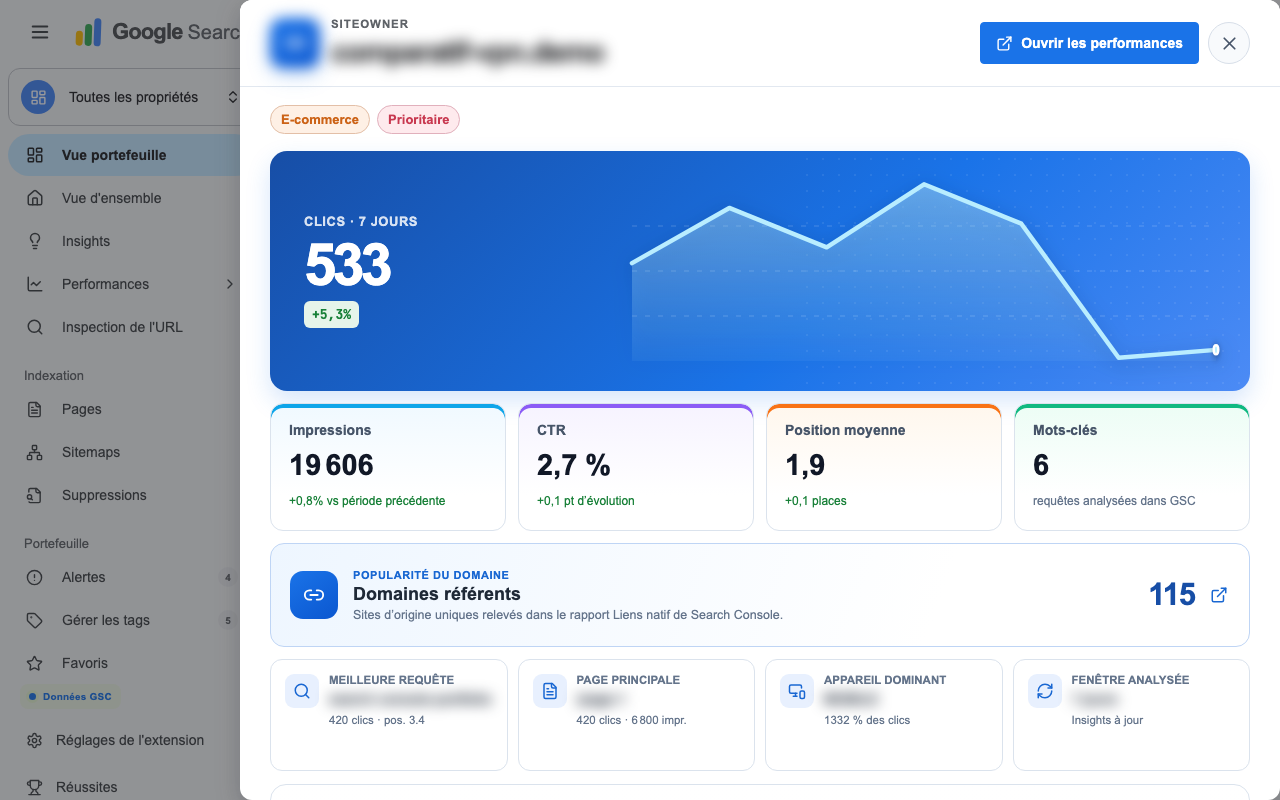
02 — Quick site detail

Diagnose a property without losing context.

The side panel brings together metrics, queries, errors, referring domains and direct report links.

Anonymized SuperGSC site detail panel
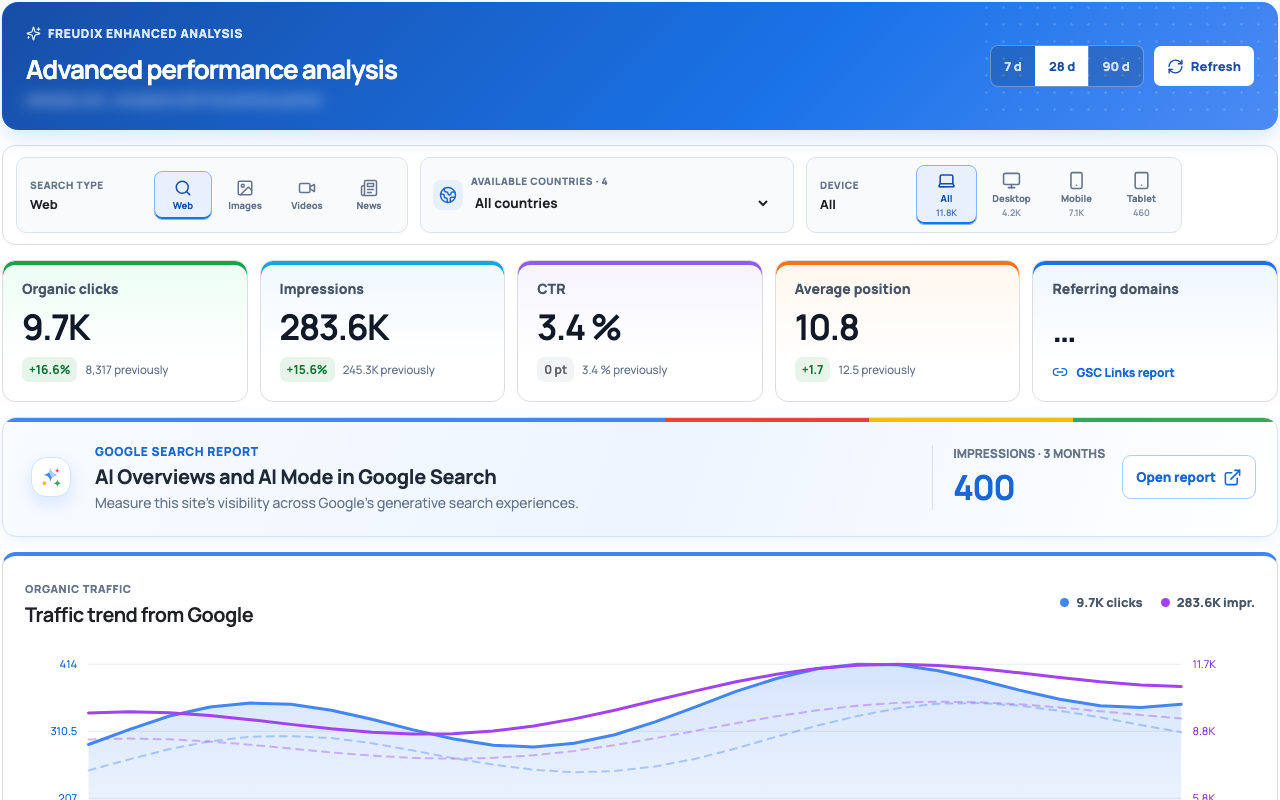
03 — Enhanced performance

Understand the movement, not just the total.

Traffic and position trends, countries, devices, Web/Image/Video search and query-to-URL analysis.

Anonymized full SuperGSC performance report
PRIVACY BY DESIGN

Your SEO data stays between Google and your browser.

SuperGSC uses the official read-only Search Console API. Tags, favorites, annotations and preferences are stored locally in Chrome. They are never sold or used for advertising.

supergsc / data-flow

01Google Search Console APIHTTPS

02Processing inside the extensionLOCAL

03Tags & preferencesCHROME STORAGE

×Advertising server or data resaleNEVER

DOCUMENTATION

Install. Connect. Take control.

The documentation explains every screen, permission, filter, tag, privacy control and troubleshooting workflow.

Open the documentation
FREQUENTLY ASKED QUESTIONS

Before you add it to Chrome.

Does SuperGSC replace Google Search Console? +

No. The extension adds a portfolio view and enhanced analysis directly to the official interface. Native GSC reports remain available at all times.

Does SuperGSC send my Search Console data to its own servers? +

No. GSC data is requested from Google by your browser. Tags, favorites, annotations and caches are stored locally in Chrome.

Can I manage several hundred properties? +

Yes. The portfolio view is designed specifically for searching, sorting, filtering and organizing large property sets.

What happens when I disconnect? +

Dashboard data is hidden until you sign in again. Your local tags and preferences remain saved while the extension stays installed.

SUPERGSC FOR CHROME

Make every Search Console
decision faster.

One installation. One read-only connection. Every property accessible from Search Console.

Add to Chrome